PropLab TPLUS ENGINEERING GMBH
DE EN
SIGN IN
[ PROCESS ]

How a design with PropLab works.

The process comprises six steps, from the first input to the simulation results. The 1D design is completed within a few minutes. Results of steady analyses are usually available in the portal after one working day.

The calculation methods are described under Methodology. This page explains how to use PropLab.

[01]Create account [02]Enter data [03]PropLab calculates [04]Select solution [05]Order CFD/FEM analysis [06]Results in the portal
↳ optional buy the propeller CAD model – available for immediate download ↱ Starting with your own geometry is also possible
DESIGN · A FEW MINUTES · FREE ANALYSIS · USUALLY 1 WORKING DAY
[01]1 MINUTE

Create an account.

Registration is free and requires only an e-mail address and a password. Designs, models and orders are stored in your account and remain accessible at any time.

The 1D design is free for up to two calculations per day.

Create account Create account →
VIEW, SCHEMATIC
[02]5 MINUTES

Enter mission and constraints.

First, you enter the aircraft data (take-off mass, number of rotors, drag class) and the flight phases of the mission with speed and time share. Then come the constraints, e.g. the maximum diameter available on the arm. Motor data can optionally be added.

No prior knowledge of fluid mechanics is required.

ALTERNATIVE: OWN GEOMETRYIf a propeller geometry already exists, the model can be uploaded and you continue directly with step 05. STEP, IGES and STL are accepted online, other formats such as CATIA or Parasolid on request. Our team checks every geometry before the calculation starts.
Mission
FLIGHT PHASESPEEDSHARE
Hover0 m/s70%
Cruise15 m/s30%
Calculate →
VIEW, SCHEMATIC · EXAMPLE VALUES
[03]A FEW MINUTES

Calculation and optimisation.

During the optimisation, PropLab evaluates hundreds of designs within a few minutes. The result is shown as the Pareto front, i.e. all sensible trade-offs between power, mass and noise instead of a single proposal.

A slider lets you narrow down the selection according to your priorities. Key figures and a top view are shown for each solution, and a design report is available for download as PDF.

ResultPARETO FRONT
Solution 3 Power → Noise ↑
Use solution 3 Report (PDF)
VIEW, SCHEMATIC
[04]YOUR DECISION

Select a solution and decide on the next steps.

The selected solution is shown as a 3D model in the browser and can be inspected from all sides before you order anything. You then have three options:

  • Buy CAD model – STEP and STL for immediate download, with hub, shaft bore and bolt circle to your dimensions.
  • Order an analysis – flow and/or structural assessment by our engineers, CAD model included.
  • Keep iterating – change the inputs and recalculate.
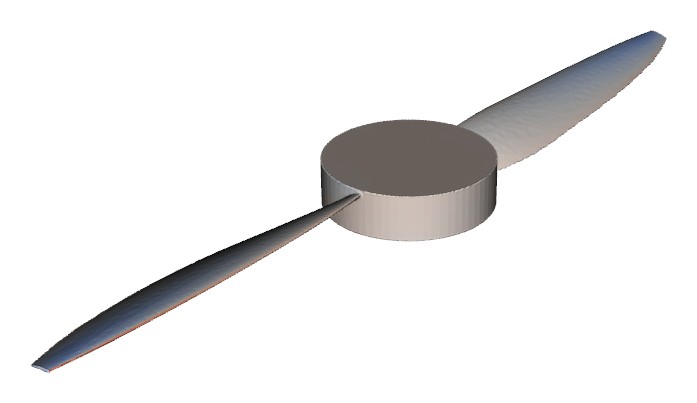
3D view of the selected propeller geometry
CAD MODEL€ 249€ 296.31 INCL. VATInstant STEP and STL
ANALYSISfrom € 1,290€ 1,535.10 INCL. VATCFD or FEM, CAD included
VIEW, SCHEMATIC · GEOMETRY FROM A PROPLAB REFERENCE CALCULATION
[05]5 MINUTES

Order an analysis.

When ordering, you choose CFD, FEM or both and specify the flight states to be calculated, e.g. climb and cruise. The input forms are pre-filled with the values and results of the 1D calculation, which can be overwritten if required.

Orders can be placed directly online or via an automatically generated quotation. The acknowledgement of receipt is sent immediately by e-mail, after which our simulation engineers take over. For cruise, an additional unsteady calculation is recommended, for which you receive a separate quotation in advance.

Order an analysis
CFD steady FEM structural analysis
FLIGHT STATES
Hover · 0 m/s Climb · 5 m/s
Total net€ 2,080€ 2,475.20 INCL. VAT
Submit order →
VIEW, SCHEMATIC · EXAMPLE VALUES
[06]USUALLY 1 WORKING DAY

Results in the portal.

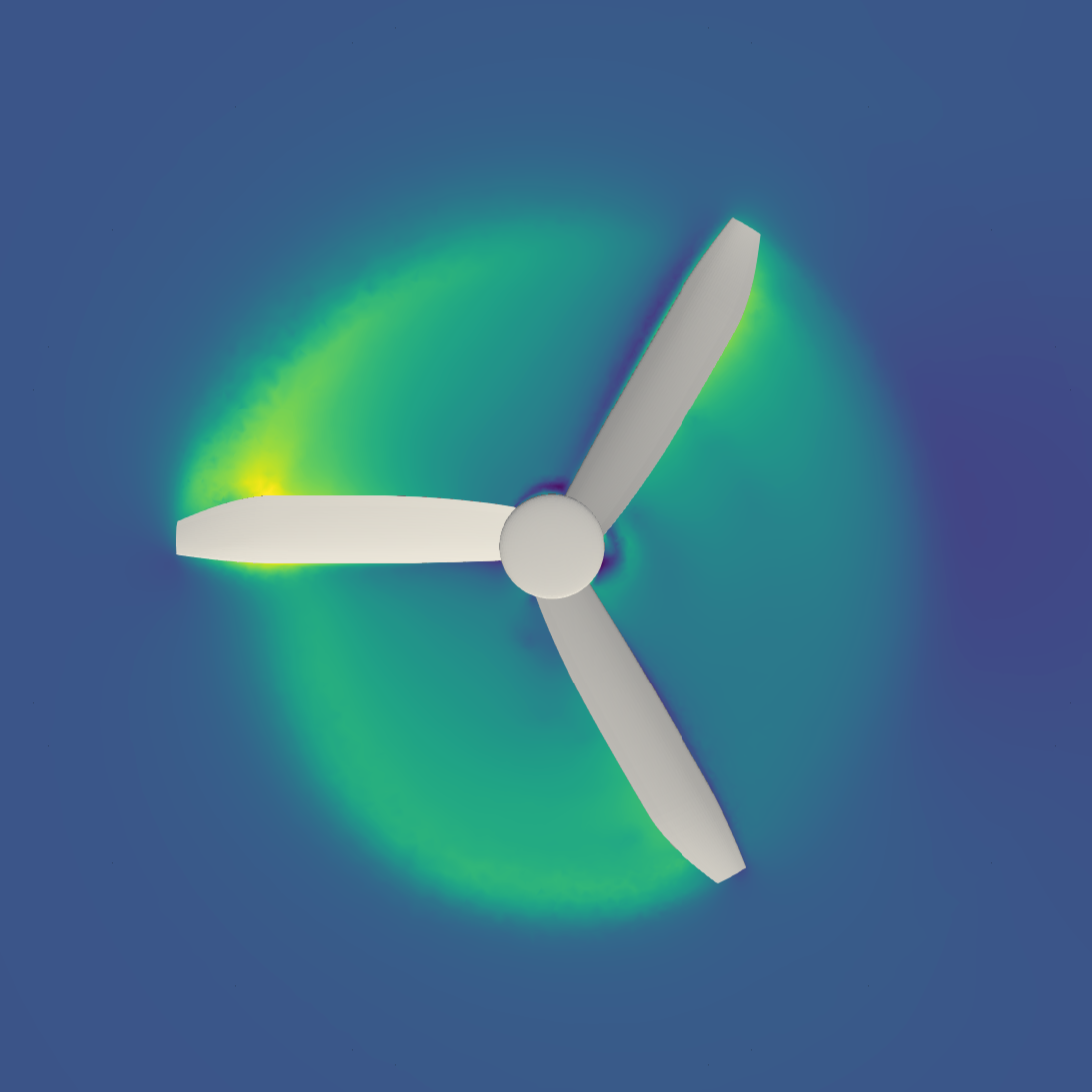
Once the simulation and quality check are complete, you are notified by e-mail. The portal then provides the key figures of the simulation compared with the 1D prediction from step 03, the interactive 3D viewer with all flow layers and the technical report as PDF.

If you have any questions, you can also book a results discussion with one of our experts.
Your results● READY
Flow velocity just below the rotor plane as a preview of the result viewer
QUANTITYCFD1DDEV.
Thrust2.62 N2.51 N−4.2%
Open viewer Report (PDF) Book discussion
VIEW, SCHEMATIC · EXAMPLE VALUES

Registration takes about a minute.

Start for free Upload own geometry
PropLab
[ PROCESS ]

How a design with PropLab works.

The process comprises six steps, from the first input to the simulation results. The 1D design is completed within a few minutes. Results of steady analyses are usually available in the portal after one working day.

01Create account1 MIN 02Enter data5 MIN 03PropLab calculatesMINUTES 04Select solutionFREE ↳ optional buy the propeller CAD model – available for immediate download ↱ Starting with your own geometry is possible from 05 05Order CFD/FEM analysis5 MIN 06Results in the portal1 WORKING DAY
[01]1 MINUTE

Create an account.

Registration is free and requires only an e-mail address and a password. Designs, models and orders are stored in your account. The 1D design is free for up to two calculations per day.

Create account
VIEW, SCHEMATIC
[02]5 MINUTES

Enter mission and constraints.

You enter the take-off mass, number of rotors and drag class as well as the flight phases with speed and time share, plus constraints such as the maximum diameter. Motor data are optional, and no prior knowledge of fluid mechanics is required.

Hover0 m/s70%
Cruise15 m/s30%
Calculate
VIEW, SCHEMATIC · EXAMPLE VALUES
ALTERNATIVE: OWN GEOMETRY If a geometry already exists, you continue directly with step 05 after the upload. STEP, IGES and STL are accepted online, other formats such as CATIA or Parasolid on request.
[03]A FEW MINUTES

Calculation and optimisation.

Within a few minutes, PropLab evaluates a large number of designs. The Pareto front is shown, i.e. all sensible trade-offs between power, mass and noise. Key figures, a top view and the design report as PDF are available for each solution.

Solution 3 Power → Noise ↑
Use solution PDF
VIEW, SCHEMATIC
[04]YOUR DECISION

Select a solution and decide on the next steps.

The selected solution is shown as a 3D model and can be inspected before you order anything.

3D view of the selected propeller geometry
CAD MODELInstant STEP and STL€ 249€ 296.31 INCL. VAT
ANALYSISCFD or FEM, CAD includedfrom € 1,290€ 1,535.10 INCL. VAT
VIEW, SCHEMATIC · REFERENCE GEOMETRY
  • Buy CAD model – download STEP and STL immediately.
  • Order an analysis – by our engineers, CAD included.
  • Keep iterating – change the inputs and recalculate.
[05]5 MINUTES

Order an analysis.

You choose CFD, FEM or both and the flight states to be calculated. The values from the 1D design are already filled in. Confirmation is sent by e-mail. For cruise, an additional unsteady calculation is recommended, for which you receive a separate quotation in advance.

CFD steady FEM structural analysis
Hover · 0 m/s Climb · 5 m/s
Total net€ 2,080€ 2,475.20 INCL. VAT
Submit order
VIEW, SCHEMATIC · EXAMPLE VALUES
[06]USUALLY 1 WORKING DAY

Results in the portal.

Once the calculation and quality check are complete, you are notified by e-mail. The portal provides the key figures compared with the 1D prediction, the 3D viewer and the technical report as PDF. A results discussion can be booked for any questions.

Your results● READY
Flow velocity just below the rotor plane as a preview of the result viewer
Thrust2.62 N2.51 N−4.2%
Open viewer Report (PDF) Discussion
VIEW, SCHEMATIC · CFD | 1D | DEV. · EXAMPLE VALUES

Registration takes about a minute.

Start for free Upload own geometry